From Chaos to Control in 30 Seconds
How I cleaned up my digital mess without touching a single file
Sound familiar? Your downloads folder has dozens of files. ZIP files, PDFs, screenshots, audio files - everything mixed together. You know you need to clean it up, but every time you think: "next week".
Until you can't find that one important file. And you spend 20 minutes scrolling through the chaos.
Last week I had this problem. Today I don't. This is what happened:
Before: Digital Chaos
This is what my downloads folder looked like:
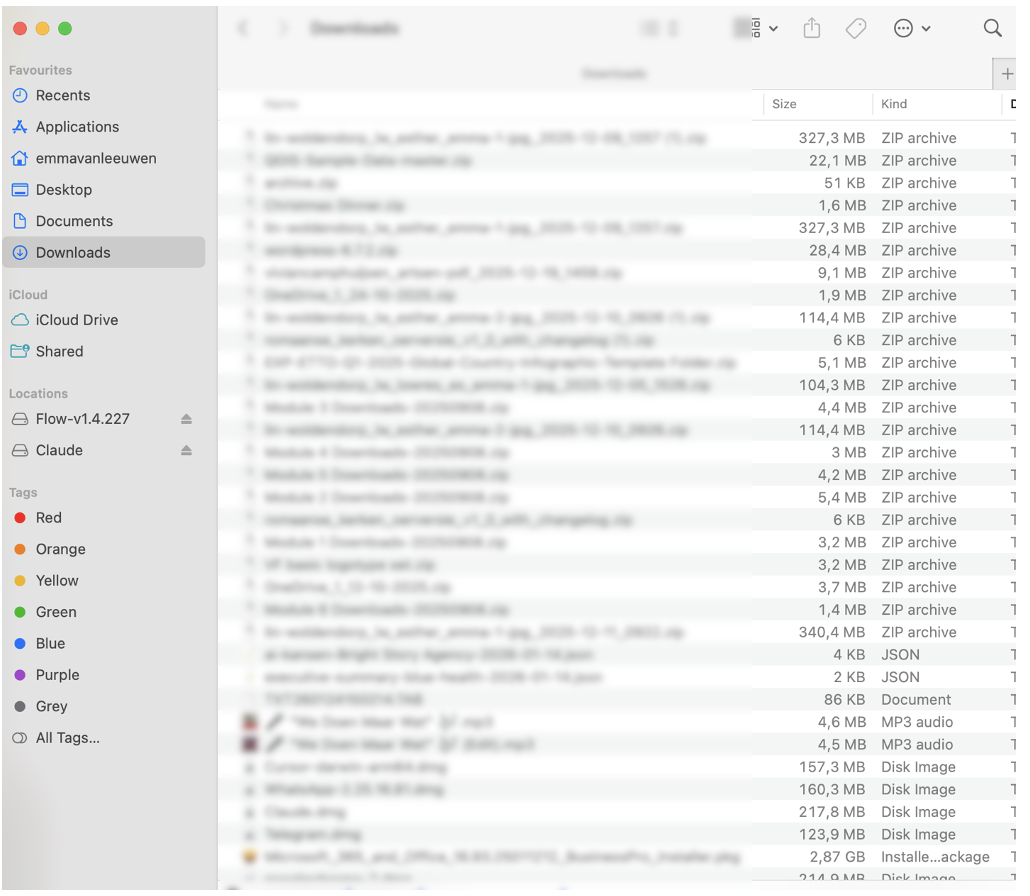
ZIP files, DMG installers, JSON exports, audio files, presentations... You know the drill. A few new files every day, never time to clean up.
What I Did
I said out loud to my computer:
"Claude, clean up my downloads folder. Create logical folders and move everything."
This is what happened next:
Claude Cowork analyzed all the files, recognized patterns (PDFs, images, spreadsheets, archives), created categories and moved everything automatically.
Time: less than 30 seconds.
Organization overview:
After: Crystal Clear
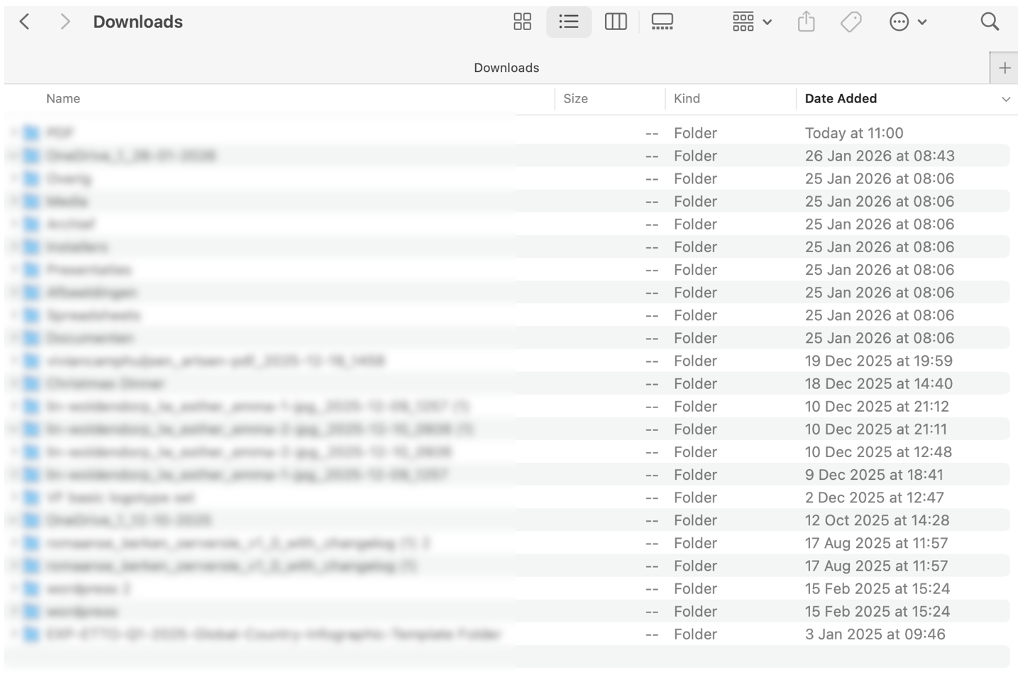
Logical folders:
- PDF (all PDF files)
- Images (screenshots and photos)
- Spreadsheets (Excel and data files)
- Archives (ZIP and compressed files)
- Documents (Word, text files)
- Media (audio and video)
- Presentations (PowerPoint files)
- Installers (software and apps)
Every file in the right place. Everything instantly findable. Without touching a single file.
How Does This Actually Work?
Two things make this possible:
1. Wispr
Voice-to-text that understands natural speech. No commands, just talking.
AI that can actually execute actions on your computer. Not just advise, but do.
Together this means: you delegate with your voice, AI executes.
This Also Works For...
Your Overflowing Inbox
Before: 1,847 unread emails. Important emails buried under newsletters.
What you say: "Claude, go through my inbox. Create labels for urgent/important/low. Give me a list of what requires action."
Result: Sorted inbox, 23 action items of which 5 urgent, overview of deadlines.
Data Across Multiple Files
Before: You need to pull sales figures from 3 different Excel files and combine them.
What you say: "Claude, get the Q1, Q2 and Q3 sales data from my Documents folder, analyze trends, and create a summary in a new doc."
Result: Complete analysis with insights, ready to share.
Those Annoying Admin Tasks
Before: Old project folders you need to clean up, screenshots you need to delete, duplicates taking up space.
What you say: "Claude, delete all screenshots older than 3 months and find duplicates in my Documents folder."
Result: 2.4GB freed up, duplicates list to review.
The Business Case
I personally save about 15 minutes a day with this. Sounds modest? Over a month that's 5 hours. Over a year it's 60 hours - a full work week.
But more important than time: the mental space. I no longer start my day searching. No overwhelming inbox. And when someone in a meeting asks "do you have those numbers?", I have them within 10 seconds.
What Does This Cost?
With just Claude Cowork (€20/month) you're already working with the AI that actually executes actions. Wispr just makes it even more natural because you can talk instead of type - but it's not required.
The math for freelancers/consultants
5 hours per month × €100 hourly rate = €500 saved
Investment: €20-35/month
ROI: 14-25x
For employees
Those 5 hours are time you can spend on strategy, relationships, creativity - the work that really makes a difference in your career.
Where Do You Start?
Choose one thing that frustrates you right now:
- Your chaotic downloads folder
- Your overflowing inbox
- Searching for that one file
- Data you manually copy between tools
Start there. Try it. See what happens.
The power isn't in the technology itself. The power is in how natural it feels. You just delegate, and it happens.
What's your biggest digital frustration right now? And what would it mean for you if you could solve that in 30 seconds?
Share this article:
Written by Emma van Leeuwen